All-in-one Database in Google Sheets
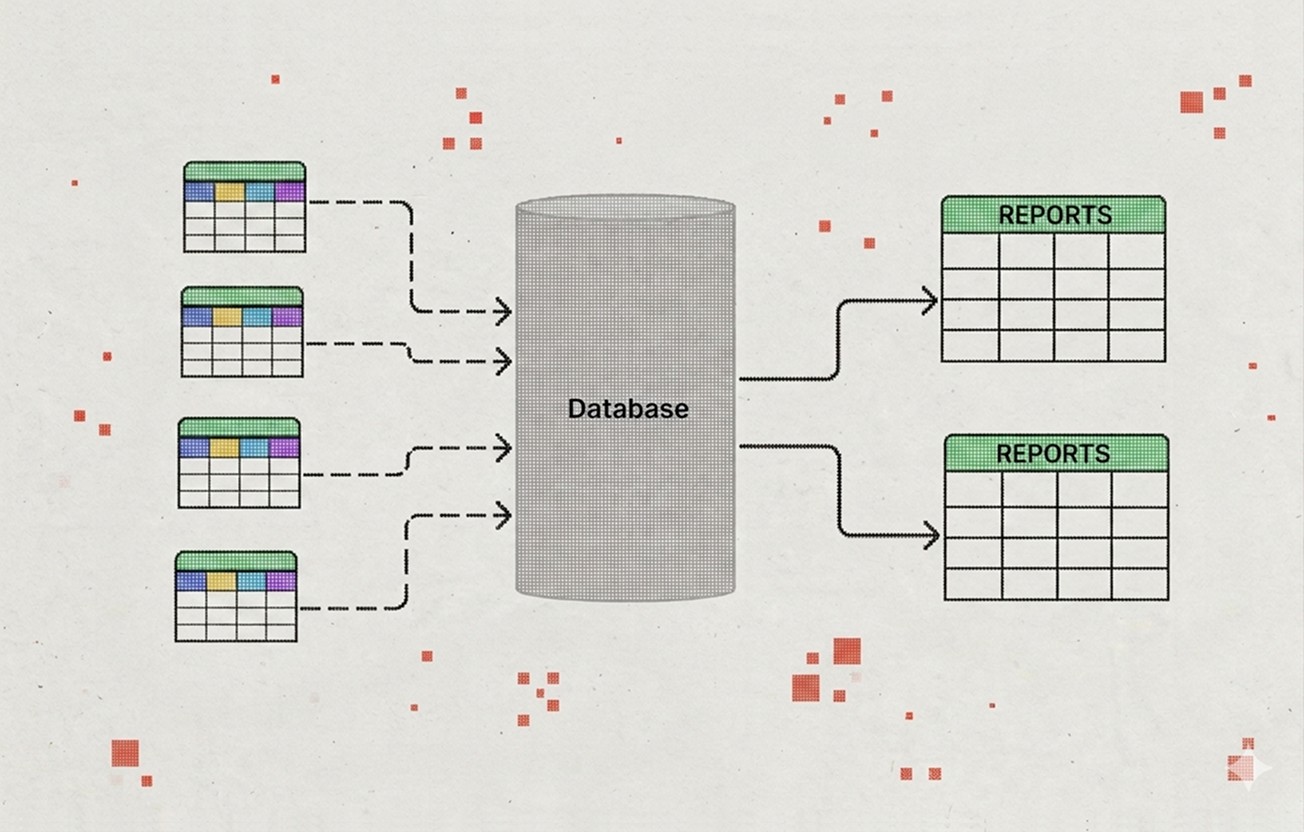
Collecting data manually from scattered folders and formats often leads to outdated results and repetitive tasks, making it difficult to reach timely decisions based on the most current information.
Small & Medium Businesses
Information Architecture
Information Architecture
Information Architecture
Information Architecture
Information Architecture
Information Architecture
Information Architecture
Information Architecture
Information Architecture
☎️ Your time:
✨ My time:
🫰Price:
2-3 weeks
~6 hours
13-17 hours
€520+
"We have data in five different places, and every time someone needs a number, someone else spends half a day pulling it together."
Client's qoute
Problem
Information lives in separate spreadsheets, shared folders, and chats — and no one is sure where the latest version is. When someone needs a report, they spend hours pulling data together manually. By the time it's ready, some numbers have already changed.
This is not about negligence. According to industry research, roughly 60% of nonprofits still rely on spreadsheets as their primary data tool. It happens naturally when a team grows and there was never a moment to think the system through. At some point the mess becomes normal, and every new file only adds to it.
My Role
Interview the people who collect, use, and depend on the data
Map where information currently lives and where it gets lost or duplicated
Define what the team actually needs to see in one place: reports, statuses, totals, trends
Design the database structure: sheets, columns, naming conventions, relationships between tables
Together with you, develop unified data entry rules — so the whole team fills in the database consistently and the information stays clean
Build the formulas, validation rules, and automatic summaries
Test the system with real data
Write a short guide so the team can use and update the database on their own
Your Part
Kick-off call to map the current situation together
Access to the people involved in the process — 1–2 short calls with them
Access to existing files and spreadsheets
Access to your Google Workspace or the personal account where the database will live
Feedback at two key checkpoints: after the structure is designed and after the system is built
Result
A single structured database in Google Sheets. Your team enters data in one place — reports, summaries, and dashboards are generated automatically.
This is not a simple table with merged cells. It is a system of interconnected sheets: with consistent naming, clear input areas, data validation, and formulas that handle the aggregation.
A usage guide for your team — including data entry rules to keep the database clean
Full handover: all files, access, and settings stay with you
Worth thinking about alongside this
A database solves the "where is our data" problem. But there are a few related things that often come up once the data is in one place:
Reporting habits.
A database is only useful if people actually look at it. It helps to think about who will review the data, how often, and what decisions it should inform.
Data entry discipline.
The cleanest structure will not survive inconsistent input. If multiple people enter data, even a short onboarding on "how we fill this in" makes a real difference.
Connected processes.
If you are organizing your data, it might be a good moment to also look at how your team manages tasks, tracks projects, or handles incoming requests. These often turn out to be connected.
How do I add videos?
To add a video to your site, click the “Insert” button and navigate to the “Media” section. Then, drag and drop a video component onto the Canvas.
Frequently asked questions:
Do you also write the texts?
You know the content — I'll help with structure, format, and presentation. If you need help with the writing itself, we can discuss it as an additional task.
Can we add video to the bot?
Yes, the bot can send videos, images, and infographics. If you already have materials like these, we'll build them into the scenario. If they need to be created, we can discuss that as an additional task.
Who maintains the bot after launch?
I'll hand over a guide and answer your questions. After that, the bot is yours. If you need ongoing support — content updates, new scenarios, technical maintenance — we can arrange that separately.
What if we don't have any materials?
That's fine. We'll start with conversations with your team and together extract what currently lives in people's heads. It may take a bit more time, but it's not an obstacle.
You might also find useful:
All-in-one Database in Google Sheets
Collecting data manually from scattered folders and formats often leads to outdated results and repetitive tasks, making it difficult to reach timely decisions based on the most current information.
Learn more
Onboarding process for volunteers
Built on a no-code platform: Manychat, SendPulse, or similar
Learn more
Donation page
Integration with donation service depending on your geography, currency, and organisation type.
Learn more